Transform your Excel experience! Master essential keyboard shortcuts to navigate, edit, and audit your spreadsheets with lightning speed, boosting efficiency and reducing errors.
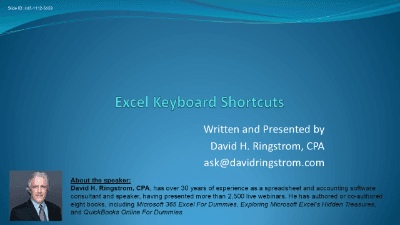
Unlock the full power and efficiency of Microsoft Excel with "Excel Keyboard Shortcuts," a comprehensive course designed to transform your workflow.
Are you tired of repetitive mouse clicks slowing you down? This course addresses the "death by a thousand cuts" experience in Excel, where small inefficiencies accumulate to waste significant time and energy. By mastering keyboard shortcuts, you'll not only boost your productivity but also reduce fatigue and minimize errors, creating a seamless and efficient spreadsheet experience.
Here's what you'll learn:
Designed for both Windows and Mac users (with specific considerations for platform differences), this course will equip you with a toolkit of essential shortcuts and strategies. Say goodbye to inefficient workflows and hello to a faster, smarter way to work in Excel!

CPA, Author, Professional Excel Spreadsheet Trainer and Consultant
David H. Ringstrom, CPA, is the author of Microsoft 365 Excel for Dummies, and a nationally recognized instructor who has taught over 2,500 live webinars. His Excel courses are based on over 30 years of consulting and teaching experience. David’s catchphrase is “Either you work Excel, or it works you,” so he focuses on what he sees users don’t, but should know about Microsoft Excel. His goal is to empower you to use Excel more effectively. David has authored or co-authored 10 books, including Exploring Microsoft Excel's Hidden Treasures, QuickBooks Online for Dummies, and Idiot's Guide to Introductory Accounting.
